PDF vs Esign Offers: Which One Actually Closes Deals
Discover the key differences between PDF and e-sign offers, and learn which option helps you close deals faster and more securely.
PDF vs Esign Offers: Which One Actually Closes Deals

If you’re sending one-off, low-stakes offers, a signature typed into a PDF is fine. If you’re submitting offers at any real volume, on properties you actually want under contract, that same PDF becomes a liability. It has no audit trail, no proof of consent, and nothing that tells you whether the listing agent even opened it. For repeatable, legally defensible offers, especially at scale, you need an e-signature platform or a purpose-built offer tool like SendMLS.
Here’s what separates the two approaches:
- Enforceability: PDFs rely on you proving intent after the fact; e-signature platforms capture it automatically.
- Audit trail: Basic PDFs have none; e-signature tools log timestamps, IP addresses, and document hashes.
- Automation: PDFs mean retyping every offer; platforms auto-populate state-approved contracts from property data.
- Tracking: PDFs go into the void once emailed; platforms tell you the moment an agent opens the offer.
If you’re making more than a few offers weekly, skip the PDF workflow entirely and jump to the checklist below.
Key Takeaways
For one-off, low-stakes offers a signed PDF is fine, but any repeatable or high-volume offer process needs an e-signature platform with a real audit trail.
| Point | Details |
|---|---|
| PDFs work for low-stakes only | Static PDF signatures are legally valid but lack the audit trail needed for disputed or high-value offers. |
| Audit trails require specific data | Courts expect timestamps, IP addresses, signer verification, and document hashes, not just a signed name. |
| Volume exposes manual prep | Once you pass a handful of offers a week, manual contract prep becomes the real bottleneck, not signing. |
| Open tracking changes follow-up | Knowing when an agent opens an offer lets you follow up at the moment of interest instead of guessing. |
| SendMLS fits high-volume workflows | SendMLS auto-fills state-approved contracts, sends from Gmail, and tracks opens for investors running volume offers. |
Table of Contents
- PDF vs Esign Offers: What Each Actually Gives You
- When a PDF Is Fine and When It Isn’t
- What the Law Actually Requires From Your Signature
- How to Fix a Slow Offer Process at Volume
- Five Questions to Answer Before You Pick a Method
- Regulatory Nuances Beyond ESIGN and UETA
- Sources
PDF vs Esign Offers: What Each Actually Gives You
A basic PDF signature is exactly what it sounds like: you paste an image of your signature, type your name in a script font, or fill in a form field, then export and email the file. It works. It’s also trivially easy to alter, and it carries no record of who touched it, when, or from where. If a listing agent or a title company ever questions whether you actually agreed to the terms in that document, a static PDF gives you almost nothing to point to.
E-signature platforms solve a different problem. They generate an audit log tied to the signing event: signer email, IP address, timestamp, and a document hash that flags any post-signing tampering. Some also verify signer identity through email confirmation or two-factor steps. That log is what turns “I signed this” into evidence a court or counterparty can actually check.
Under the ESIGN Act and UETA, an enforceable electronic agreement needs three things: provable signer consent, a clear association between the signature and the document, and a retained record of the transaction. A typed name on a PDF technically satisfies the letter of the law, but it rarely produces the kind of retained, checkable record that holds up when someone disputes the deal.
Lined up against each other, the gap looks like this:
- Legal enforceability: PDF signatures are legally valid under ESIGN/UETA but weak on proof; e-signature platforms build the proof in automatically.
- Audit trail: PDFs have none by default; e-signature tools log every step of the signing event.
- Automation: PDFs require manual data entry every time; platforms template and auto-fill.
- Volume suitability: PDFs work for one or two offers a week; platforms are built for dozens or hundreds.
- Tracking: PDFs give you zero visibility after you hit send; platforms show opens in real time.
- Cost and recipient friction: PDFs are free but slow you down; e-signature platforms cost money but move faster and look more professional to the person receiving them.
The NIST explainer on electronic and digital signatures makes a point worth repeating: cryptographic sealing and audit logs are what create non-repudiation, meaning the signer can’t credibly deny they signed. A pasted signature image offers none of that protection.
When a PDF Is Fine and When It Isn’t
Not every document needs a full audit trail. Here’s how to sort the two:
- Internal drafts and notes between you and a business partner don’t need e-signature infrastructure. Nobody’s disputing intent on a document that never leaves your team.
- Informal confirmations, like acknowledging you received a seller’s counter before formal paperwork exists, are low enough stakes for a plain PDF.
- Binding purchase offers on MLS listings are a different animal. If the listing agent accepts, you’re in contract. That needs a defensible signature and a record of when it was sent, opened, and countersigned.
- High-value or regulated transactions, anything above a threshold where a dispute would actually hurt, call for platform-level audit trails, not a typed name.
- Frequent submissions, more than a few offers a week, make manual PDF prep a bottleneck regardless of legal risk. At that volume, the question isn’t “is this legally sound” but “can I actually keep this up.”
Pro Tip: If you’re not sure which category an offer falls into, ask yourself whether you’d want a timestamped record of exactly when the agent opened it. If the answer is yes, you’ve already answered the PDF-versus-platform question.
What the Law Actually Requires From Your Signature
The ESIGN Act and UETA don’t demand fancy technology. They demand three things: consent to sign electronically, a clear link between the signer and the document, and a retained record of the transaction. That’s it. But “retained record” is doing a lot of work in that sentence.
Courts and auditors tend to look for the same handful of items when a signature gets challenged:
- Timestamp of the signing event
- Signer’s IP address
- Signer’s verified email
- A document hash confirming the file wasn’t altered after signing
- A clear sequence showing who signed what, and when
A defensible audit trail needs at minimum a signer identity record, timestamped events, tamper-evidence, and a stored copy of the executed document tied to those events. Static PDF images almost never supply this automatically. There’s no metadata layer capturing IP address or hash verification when you paste a signature into a document and save it as a flat file. That’s the practical gap between an electronic signature (legally valid, but variable in assurance) and a digital signature with cryptographic sealing (higher assurance, built for disputes). For one-off deals, that gap might not matter. For a wholesaler running 40 offers a week, it’s the difference between a record that holds up and one that doesn’t.
How to Fix a Slow Offer Process at Volume
Signing was never the actual bottleneck. Preparation is. Every offer needs the right state-approved contract form, the correct property and county details typed in, and a delivery method the listing agent will actually take seriously. Do that by hand 15 minutes at a time, and you cap yourself around 20 offers a week no matter how fast you type.
Automation changes the math. Once a template is built and connected to property and county data, populating that same form across dozens of listings takes minutes instead of hours. That’s the shift that lets a solo investor or a two-person team compete with a shop running full-time VAs.
The features that actually matter for MLS offer volume:
- Automatic selection of the correct state-approved contract for the property’s location
- Auto-fill of property and county details pulled straight from MLS data
- Sending from your own Gmail account, so offers land looking like real paperwork from a real person, not a mail-merge blast
- Open tracking, so you know the moment an agent views the offer instead of guessing when to follow up
- Pipeline management to track which offers are pending, viewed, or countered
Knowing exactly when an agent opens an offer changes how you follow up. Instead of calling three days later and hoping, you can reach out within the hour, while the offer is still top of mind. SendMLS was built around this exact workflow, auto-filling state-approved contracts and flagging opens in real time, and it’s worth testing on your own listings during the 7-day free trial before committing to anything.
Pro Tip: Track your average prep time per offer for one week. If it’s over 10 minutes, automation will pay for itself faster than you think.
Five Questions to Answer Before You Pick a Method
Run through these before deciding how to send your next batch of offers:
- How many offers do you send per week? If the number is low, a PDF workflow might be tolerable. Above that, manual prep starts eating your margin.
- What’s the monetary or regulatory risk if this offer gets disputed? Higher stakes mean you need the audit trail an e-signature platform provides.
- Do you need state-approved contract templates auto-filled with property details? If yes, a generic e-signature tool alone won’t cut it. You need offer-specific automation.
- Do you need to know when the agent opens the offer? If timing your follow-up matters, open tracking isn’t optional.
- What’s your budget, and how much friction can the recipient tolerate? A clunky signing link can cost you goodwill with an agent who’s already ignoring half their inbox.
Regulatory Nuances Beyond ESIGN and UETA
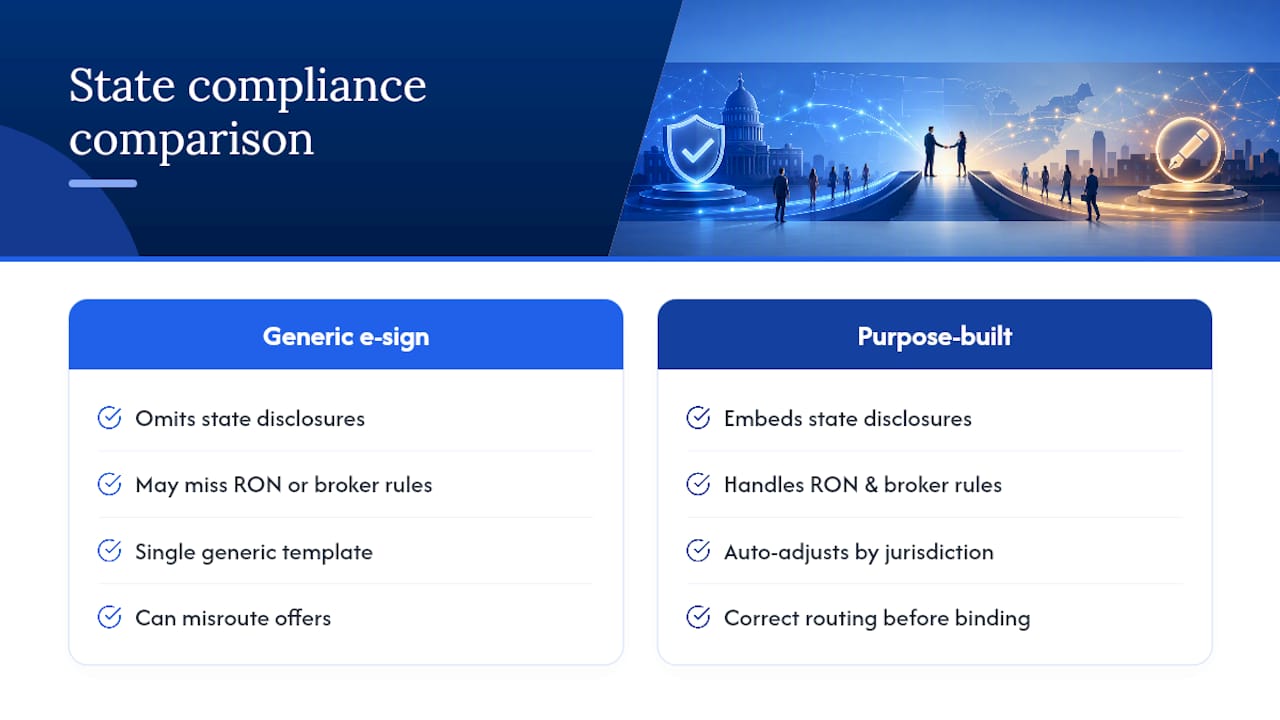
Federal law sets the floor, but it isn’t the whole picture. Real estate transactions are regulated at the state level, and several states layer additional requirements on top of ESIGN and UETA. Some states require specific disclosure language embedded in the offer form itself, tied to property type, financing contingency, or agency disclosure rules. A generic e-signature template built for one state’s contract may not include the disclosures required in another.
That’s why a purpose-built platform for offers matters more than a generic e-signature tool once you’re working across counties or states. Some jurisdictions also have distinct rules for remote online notarization or for documents that require a licensed real estate broker’s involvement, which can affect how an offer needs to be routed before it’s binding. Wholesalers and investors working aged listings across multiple counties should confirm that whatever form gets populated automatically reflects the correct state-approved language for that property’s jurisdiction, not just a generic purchase agreement template. Getting this wrong doesn’t just risk a rejected offer. It can create an agreement that’s harder to enforce if a dispute ever reaches a title company or a court.
Author Note: Practical Experience and Product Focus
Automation and open tracking don’t just save time, they change how quickly investors can act on a live offer. SendMLS was built around that exact workflow for high-volume MLS offers.
Try SendMLS for Your Next Batch of Offers
If you’re still typing offers into a PDF or paying a VA to do it, you’re solving the wrong problem. SendMLS auto-populates state-approved contracts with your property and county details, sends straight from your own Gmail account so offers land like real paperwork, and tells you the instant an agent opens what you sent.
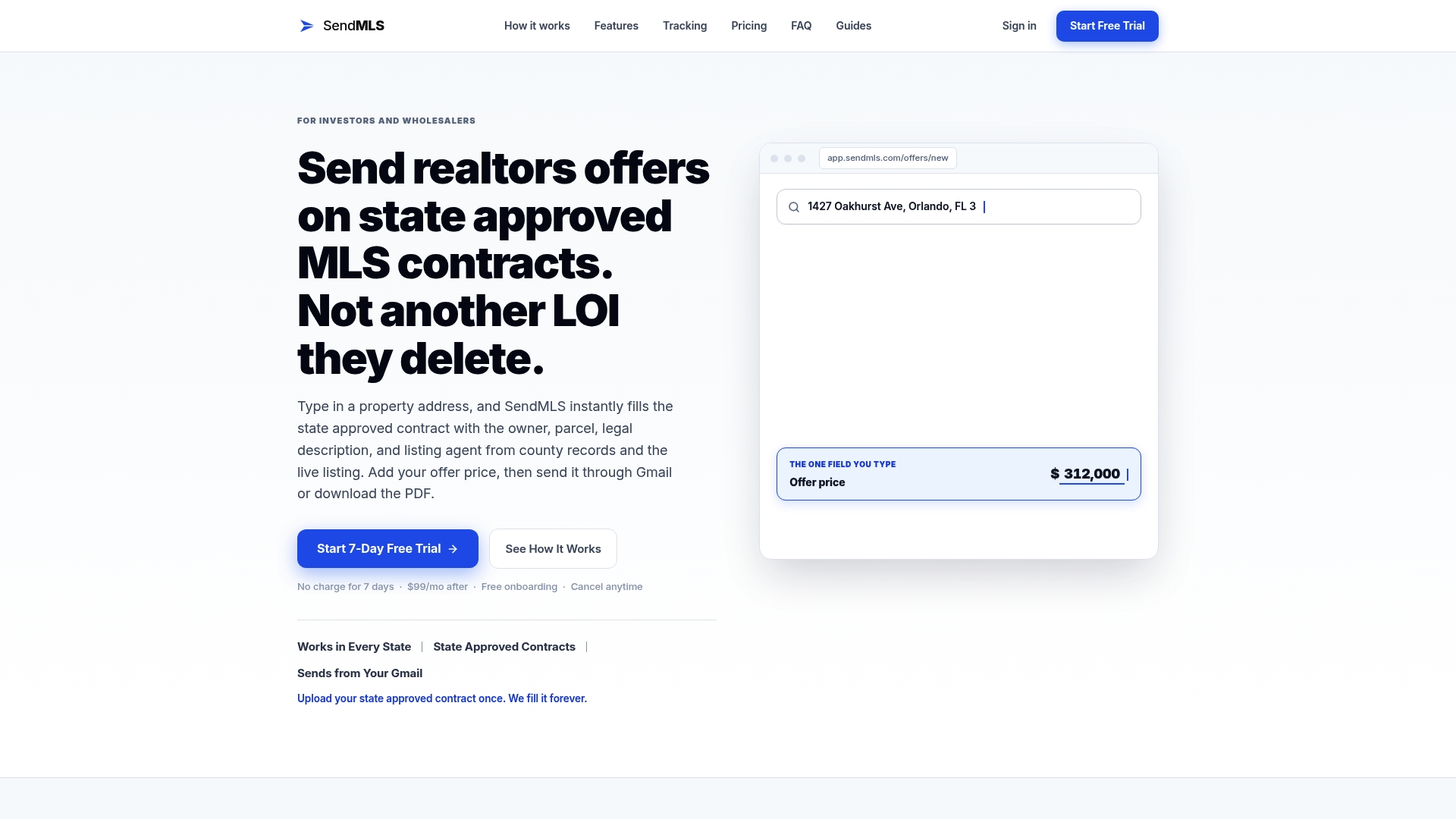
That last part matters more than most investors realize. Knowing when an offer gets opened is what turns blind follow-up into timed follow-up, and timed follow-up is what gets aged listings under contract before the next investor calls. If presentation and delivery are part of your bottleneck too, pairing your offers with sharper listing and follow-up messaging from a tool like AgentWrite can help close the gap between “sent” and “seen.” Start your 7-day free trial today, no setup required, and see how many offers you can get in front of agents before lunch.
Sources
- H.R. 5777 — Electronic Signatures (ESIGN Act resources / legislative reference)
- How your business can benefit from end-to-end automation - Fortra Automate blog