Offer Analytics for Real Estate: The High-Volume Playbook
Unlock the power of offer analytics in real estate to boost your conversion rates. Track, respond, and close deals faster than ever!
Offer Analytics for Real Estate: The High-Volume Playbook

The fastest way to get reliable offer-level analytics on your MLS submissions is to combine email open pixels, unique per-offer tracking links, and e-sign webhooks, then set an alert that fires the moment an agent opens your contract. Here is what that system does for you:
- Tracks what matters: open timestamp, open count, response time, and acceptance rate per offer, not market-level property data.
- Speeds up conversion: knowing an agent just opened your offer lets you call within minutes instead of following up blind three days later.
- Immediate next step: enable open tracking on your next send, define a follow-up SLA (call within 15 minutes of a confirmed open), and log every event to a shared offer pipeline.
Tracking buyer-side inputs like offers written, accepted, and closed reveals exactly where pipeline leakage happens, which is the core argument for building this system before you scale volume further.
Key Takeaways
Offer analytics for real estate investors means tracking open timestamps, response rates, and acceptance rates at the individual MLS offer level, then acting on those signals fast enough to convert them.
| Point | Details |
|---|---|
| Composite signal wins | Combine open pixel, unique-link click, and e-sign webhook for the most reliable read on agent engagement. |
| Call within 15 minutes | A confirmed open (click + pixel) is your highest-leverage moment; response quality drops sharply after that window. |
| 50-offer pilot first | Run a seven-day, 50-offer pilot to generate your first meaningful open rate, response rate, and acceptance rate data. |
| Dashboard five metrics | Track offers sent, open rate by cohort, median response time, acceptance rate, and time-to-first-contact on one screen. |
| SendMLS for MLS volume | SendMLS populates state-approved contracts, sends via Gmail, and fires open alerts so you can act in minutes, not days. |
Table of Contents
- What does offer analytics actually mean for MLS investors?
- Which metrics should you track for every MLS offer?
- How do you instrument offer tracking at scale?
- What follow-up cadence works after an offer is opened?
- How do you build a dashboard and keep deliverability clean at volume?
- How to get offer analytics running in 30 minutes
- How SendMLS handles offer analytics for high-volume investors
- What actually moves the needle for volume offerers
- SendMLS gives you tracked, state-approved offers at volume
- Sources
What does offer analytics actually mean for MLS investors?
“Offer analytics” in real estate gets used two ways, and they are not the same thing. This article covers only one: the tracking of outbound MLS offer submissions at the individual offer level. That means open pixels embedded in your contract email, unique per-offer links or UTMs that register clicks, DocuSign or e-sign webhook events, and response timestamps tied to a specific offer ID.
It does not mean market-level property analytics, neighborhood price trends, or predictive valuation models. That is a different product for a different audience.
For wholesalers and high-volume investors sending 20–100+ offers per month, the distinction matters because listing-side tools like the ARMLS Listing Activity Report track buyer behavior on listing pages, not what happens after you send a contract. Offer analytics instruments your outbound activity and the agent’s response to it.
Which metrics should you track for every MLS offer?
These are the six numbers that tell you whether your offer program is working:
| Metric | Definition | Formula |
|---|---|---|
| Open timestamp | When the agent first viewed your offer | Logged by pixel or link click |
| Open count | Total views per offer | Sum of pixel fires per offer_id |
| Response time | Time from send to agent reply | Reply timestamp minus send timestamp |
| Response rate | Share of offers that get any reply | Replies ÷ offers sent |
| Acceptance rate | Share of offers accepted | Accepted ÷ offers sent |
| Time-to-acceptance | Days from send to signed contract | Acceptance timestamp minus send timestamp |
For context on where to set targets: wholesaling operators typically track blast response rates and lead-to-contract ratios as leading indicators, with thresholds that shift by business stage (beginner, growing, scaled). High-volume flippers targeting one deal per month from 60 offers need a response rate high enough to generate negotiation opportunities before moving on.
Pro Tip: Store ISO 8601 timestamps for every event and normalize everything to a single timezone. Use offer_id + recipient_email as your primary key so you can join open events, click events, and e-sign webhooks into one row per offer without duplicates.
Tracking these inputs across contacts, offers written, and closes shows you the exact stage where deals stall, which is far more useful than a raw close-rate number.
How do you instrument offer tracking at scale?
Four methods exist. Each has a real failure mode.
Tracking pixel in the offer email: fires when the agent’s email client loads the image. Fast to implement, but Apple Mail Privacy Protection and corporate email proxies pre-fetch images, generating false opens. Reliable as a signal only when combined with other events.
Unique per-offer links/UTMs: a link in the email body pointing to a hosted deal page or PDF. Clicks are higher-confidence than pixel fires because a human had to choose to click. Downside: agents who open the PDF attachment directly never trigger it.
Gmail API vs. SMTP sends: Gmail API gives you delivery confirmation and read-receipt metadata. SMTP is simpler but loses that layer. Either way, Gmail-sent offers land as real email from a real person, which improves deliverability versus a mass-blast tool.
E-sign webhooks (DocuSign, HelloSign, etc.): the highest-confidence event. A webhook fires when the agent opens the envelope, views a page, or signs. Limitation: agents who receive a PDF and sign outside the platform generate no webhook.
Before you rely on open counts alone: a pixel fire is not proof a human read your offer. Image pre-fetching, email security scanners, and privacy proxies all inflate raw open counts. Treat an open pixel as a weak signal and a click or e-sign event as a strong one. Build your follow-up cadence around the composite signal, not the raw number.
Pro Tip: The most reliable read on deal momentum combines all three: open pixel + unique-link click + e-sign webhook. When all three fire, call immediately. When only the pixel fires, send a softer follow-up first.
For privacy and deliverability, keep deal terms out of tracked content when confidentiality matters, and stay CAN-SPAM compliant by including a physical address and a clear sender identity on every send.
What follow-up cadence works after an offer is opened?
Speed is the entire game here. An agent who just opened your offer is thinking about it right now.
- Confirmed open (pixel + click): call within 5–15 minutes. This is the highest-leverage moment in your pipeline.
- Pixel-only open: send a brief email follow-up within one hour (“Just wanted to make sure the contract came through clearly, happy to answer any questions”).
- No open, Day 3: resend with a subject-line variant that includes the address and price. Specific subject lines outperform generic ones.
- No open, Day 7: final follow-up, shorter message, different angle (closing timeline or flexibility on terms).
A short phone script for the post-open call: “Hi, this is [Name] calling about the offer I sent on [address]. I saw you had a chance to look it over. I wanted to connect quickly to see if the [price / closing timeline] works for your seller, or if there’s a number that gets this done.”
Pro Tip: Log the open timestamp in your CRM note before you dial. When you have five open alerts queued, sort by open time and call the most recent first. Recency predicts engagement.
How do you build a dashboard and keep deliverability clean at volume?
At 50+ offers per month, two things break: your Gmail reputation and your ability to see what is actually working.
Deliverability safeguards:
- Throttle sends to 40–50 per day per Gmail account to avoid spam flags.
- Warm new Gmail accounts over two weeks before running full volume.
- Use personalized from-addresses (your name, not a generic alias).
- Monitor bounce rate and spam complaints weekly; pause and investigate anything above 2%.
Dashboard widgets your team screen should show:
| Widget | Why it belongs on the home screen |
|---|---|
| Offers sent (7-day rolling) | Volume check; confirms the program is running |
| Open rate by cohort | Flags subject-line or deliverability problems early |
| Median response time | Slowdowns here signal agent-side friction |
| Acceptance rate | The bottom-line conversion metric |
| Time-to-first-contact | Measures how fast your team acts on open alerts |
Map every offer event to a contact record in your CRM using offer_id as the foreign key. For pilots, a Google Sheet with five columns (offer_id, send_time, open_time, response_time, outcome) is enough to generate the first meaningful signals. Set an SLA alert for any offer with no response after seven days so nothing ages out silently.
How to get offer analytics running in 30 minutes
Work through this in order. One person can complete it in a single session.
- Create a tracking-enabled email template with your offer intro text and a unique link placeholder.
- Enable open pixels and unique per-offer links in your sending tool or CRM.
- Connect Gmail via API (preferred) or configure SMTP credentials.
- Build one test offer and send it to a colleague’s inbox.
- Confirm the open pixel fires and the link click registers in your event log.
- Map the open and click events to the offer_id in a spreadsheet or CRM record.
- Define your follow-up SLA: call within 15 minutes of a confirmed open, email within one hour of a pixel-only open.
- Run a 50-offer pilot across your top 20 buyers or target listings over seven days and log every event.
Who owns what: the sender creates and sends the offer; ops monitors the event log and fires SLA alerts; closers handle the follow-up calls. Keep those roles clean or the cadence breaks down.
How SendMLS handles offer analytics for high-volume investors
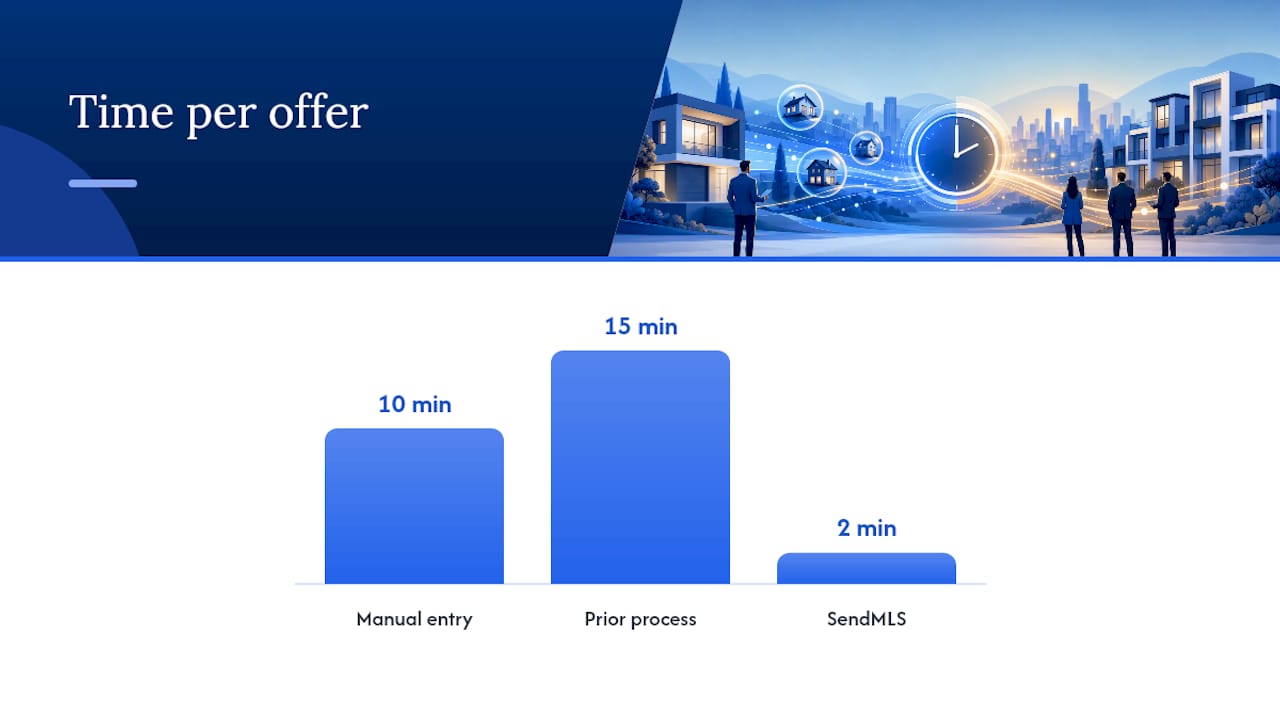
SendMLS is built specifically for this workflow. It populates state-approved contracts with property data pulled from MLS and county records, so you skip the VA and the 10-minute-per-offer manual entry. Offers send directly from your Gmail, which means they arrive as real paperwork from a real person rather than a mass-blast tool that agents route to spam.
The open-tracking notification fires the moment a listing agent views your offer. That timestamp goes into your pipeline automatically, so your follow-up call happens within minutes, not days. Reminder automation handles the non-opener cadence without manual intervention.
- Solo wholesalers: replace a $900/month VA with a subscription and stop rechecking contract errors.
- Land investors: send 100 offers on stale county listings before lunch; a 2–5% acceptance rate is fine when volume is this fast.
- Small acquisition teams: every rep sends from their own Gmail; the manager sees every open in one dashboard.
- High-volume flippers: 60 offers to get one deal works when each offer takes two minutes instead of fifteen.
Pro Tip: The 7-day free trial requires no setup. Connect Gmail, load a property address, and send your first tracked offer in under ten minutes. The MLS offer software guide walks through the full workflow if you want the detail before you sign up.
What actually moves the needle for volume offerers
Most investors instrument tracking and then watch dashboards instead of acting on them. The open alert is only valuable if someone picks up the phone within 15 minutes. That is the habit that changes outcomes, not the sophistication of your pixel setup.
Two things to do:
- Call within 15 minutes of a confirmed open (click + pixel). Agents are in the moment. A call an hour later catches a different mental state.
- Review your acceptance rate by cohort weekly, not monthly. Thirty days is too long to catch a subject-line problem or a deliverability dip.
Two things to stop doing:
- Don’t chase raw open counts. A high open rate with a low response rate means your subject line works but your offer doesn’t. Fix the offer, not the subject line.
- Don’t let non-openers age past Day 7 without a final touch. After that, the deal is cold and the follow-up cost exceeds the expected return.
SendMLS gives you tracked, state-approved offers at volume
High-volume investors who send tracked, state-approved contracts via Gmail close more deals because they act on real signals instead of guessing. SendMLS automates contract population, delivers offers from your own Gmail address, and fires an open alert the moment an agent views your paperwork.
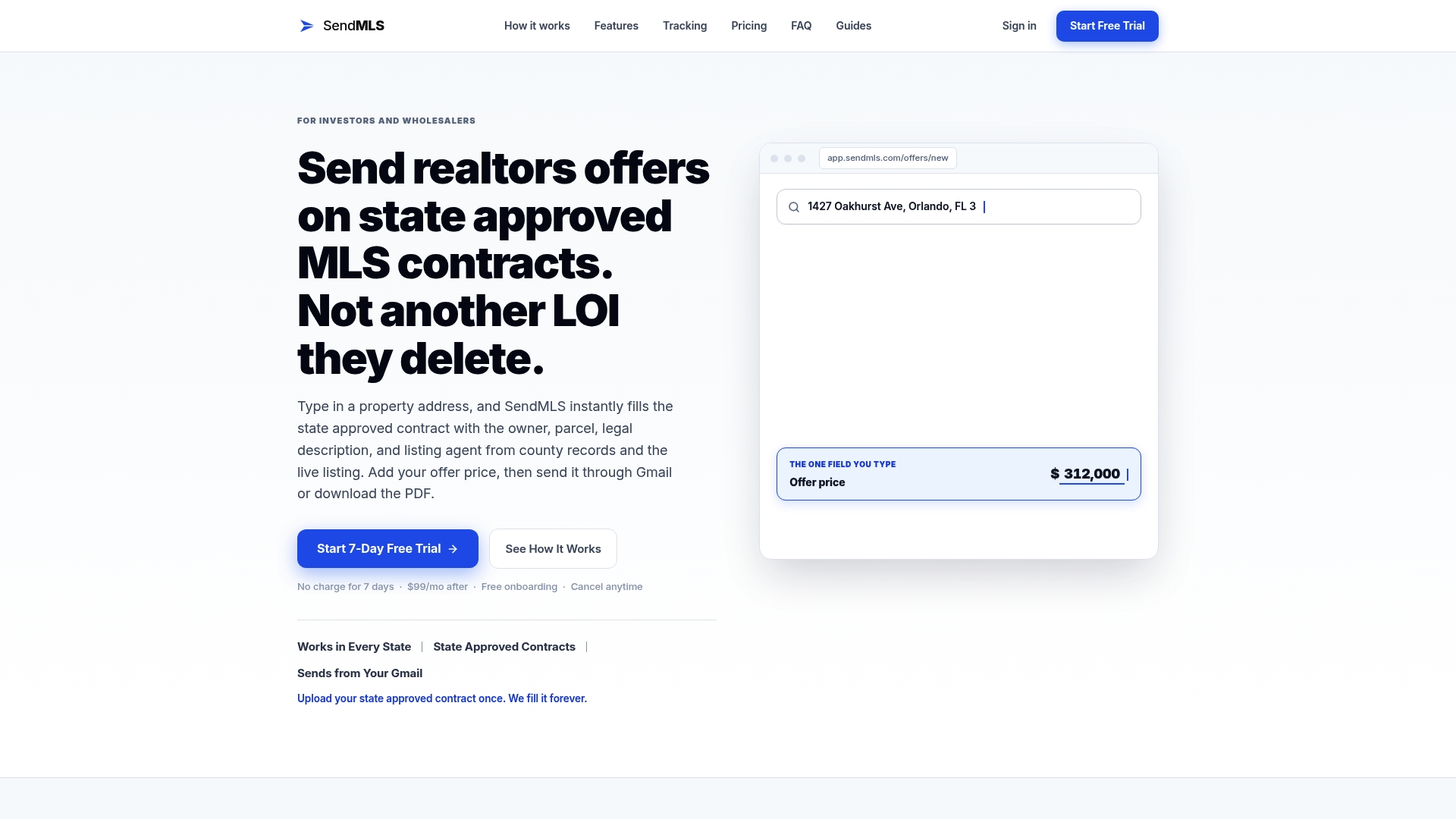
Start the 7-day free trial at SendMLS, connect your Gmail account, and send your first tracked offer today. No setup fee, no contract.
Sources
These four sources back the core claims in this article and are worth bookmarking:
- Track your listing’s performance with the Activity Report | ARMLS
- How Tracking Your Real Estate Numbers Helps You Close More Deals - blogs