Contract Version Control for High-Volume MLS Offer Senders
Master contract version control to track your offers easily, avoid mistakes, and ensure your team always sends the right documents.
Contract Version Control for High-Volume MLS Offer Senders

Contract version control means knowing, at any second, which filled-in offer document is the current one, who touched it last, and who signed off on the change. If you send more than a handful of offers a month, that’s the whole game. The most common failure isn’t a bad clause. It’s the wrong version going out the door.
Here’s the one-hour fix: build a transaction version log, a single row per offer that tracks status and history, and pair it with a naming rule everyone on your team follows without exception.
- Start a transaction version log today. One spreadsheet tab, one row per offer, columns for transaction ID, current version, and who approved it.
- Adopt a naming rule now. Something like v00 for draft, v01 for submitted, v01-signed once countersigned.
- Use tracking to confirm delivery. Don’t guess whether the agent opened the right file. Know it.
Two things go wrong without this. You send a stale price or closing date because three drafts existed and nobody marked which was final. Or an addendum quietly changes a contingency deadline, nobody updates the master timeline, and you miss it by a day.
Key Takeaways
Contract version control works because a single transaction version log, semantic labels, and an audit trail together stop the wrong document from ever reaching a listing agent.
| Point | Details |
|---|---|
| Build one version log | Track transaction ID, version label, approver, and supersedes link in one place. |
| Use semantic labels | Tag drafts v00, submissions v01, signed versions v01-signed, and counters v02-counter. |
| Treat addenda as new versions | Recalculate every dependent deadline the moment a counter or addendum arrives. |
| Confirm before you send | Run a thirty-second current-version check against the log before any external communication. |
| Automate at scale | SendMLS autofills state-approved contracts, sends from Gmail, and tracks opens to confirm which version an agent actually saw. |
Table of Contents
- What Does Contract Version Control Mean for MLS Offers?
- How Do You Manage Offer Versions From Intake to Archive?
- When Should You Automate Contract Version Control?
- The Version Mistakes Nobody Talks About
- Where SendMLS Fits Your Version Control Workflow
- Sources
What Does Contract Version Control Mean for MLS Offers?
For someone submitting 20, 50, or 100+ offers a month, version control isn’t a legal-department exercise. It’s the difference between a clean pipeline and a folder full of “Purchase_Agreement_FINAL_v3_actual.pdf” files that nobody trusts. The discipline is simple to describe and easy to skip under volume pressure: every filled-in contract gets a unique version label, a recorded status, and a named approver before it leaves your outbox.
The fields your version log needs
Build the log around these fields, whether it lives in a spreadsheet, your CRM, or a lightweight database:
- Transaction ID — a stable identifier tied to the property, not the file name.
- Document type — purchase agreement, counter, addendum, disclosure.
- Version label — the semantic tag (v00, v01, v01-signed, v02-counter).
- Signer status — draft, sent, signed, countered, expired.
- Source system — where the document originated (your offer tool, DocuSign, a broker portal).
- Uploaded-by and approved-by — two different fields, even on a solo operation, because approval should be a deliberate step, not a byproduct of uploading.
- Effective date — when this version became the operative one.
- Supersedes link — a pointer to the exact version this one replaces.
That last field does the heavy lifting. A transaction version log that records document type, current version ID, status, approver, and what it replaced becomes the authority layer for the entire deal. Nothing downstream, whether it’s a VA, a lender, or an automation tool, gets to treat an old file as current.
Semantic versioning gives that log teeth. Use v00 for the draft you’re filling in, v01 the moment it’s submitted, v01-signed once countersigned, and v02-counter the second a listing agent counters. Increment the major number only when the terms materially change; a typo fix doesn’t deserve a new version number, but a price change always does.
Audit events matter as much as the labels. Every edit needs an immutable timestamp and a user ID attached, because an audit trail on a real estate contract is what shows who changed what, when, and which version controlled on a given date. Pair that with role-based permissions: decide who has authority to mark a version “current” and who can approve a supersession, and don’t let both roles collapse into whoever happens to be at the keyboard.
Pro Tip: Give the approver field a hard rule: nobody marks a version current unless they personally compared it against the previous one, line by line, on price and dates. That thirty seconds catches most transcription errors before they leave your inbox.
How Do You Manage Offer Versions From Intake to Archive?
Treat every offer as a six-step sequence, and the sequence stays the same whether you’re sending five offers a week or fifty a day.
- Intake. Read the listing and pull structured fields: price, closing date, contingency expirations, earnest money, and any HOA or disclosure line items.
- Label. Assign the version tag before you touch send. A draft that hasn’t been labeled hasn’t been checked.
- Submit. Name the file to match the version log, set status to “submitted,” record the recipient and exact send time, and send only from an address the transaction log recognizes as authorized.
- Track. Confirm the agent received and opened it. Don’t rely on a phone follow-up call to find out.
- Reconcile. When a counter or addendum lands, create a new version row immediately, link it to the version it supersedes, and recalculate every dependent deadline.
- Archive. Once a version is signed or accepted, freeze it. Mark it immutable, move it to a final folder, and tag it clearly as the accepted version so nobody edits history after the fact.
Step five is where most damage happens. A review of over 5,000 purchase agreements found that most missed deadlines trace back to mid-transaction documents rather than the original contract, with a single transaction often generating 15 to 30 documents by closing. The initial offer is rarely the problem. The third addendum nobody re-read for a shifted inspection date is.
Running multiple deals at once multiplies the risk. When a lender, a title company, and a buyer’s side are all touching the same transaction, different parties can end up holding different versions without anyone noticing. The fix isn’t better memory. It’s a single source of truth per transaction plus a cross-deal dashboard that shows every active deal’s current version and upcoming deadline at a glance.

Build that habit now, even if you’re only running three deals: before any external email, text, or call, do a thirty-second current-version check against the log. It costs almost nothing and it catches the mistake that costs you the deal.
When Should You Automate Contract Version Control?
Manual version control works fine at low volume because one person can hold the whole picture in their head. That stops being true fast. Somewhere around three concurrent deals, or twenty or more offers a month, the mental model breaks down and errors start slipping through even careful operators.
At that breakpoint, three automation checks matter more than any other feature:
- Confirm current version before sending. The system should block a send if the file being attached isn’t flagged as the latest version in the log.
- Block sends when approvals are missing. No approver field filled in, no send. That single guardrail catches the “someone hit send on a draft” mistake before it happens.
- Auto-mark superseded versions. The moment a replacement is logged, the prior version should flip to “superseded” automatically, not whenever someone remembers to update it.
This is precisely where SendMLS fits the workflow rather than sitting alongside it as an extra tool. It autofills state-approved contracts directly with the property details pulled from county and MLS data, which removes the manual re-typing step where most version drift starts. Offers send straight from your Gmail address, so the recipient sees a real message from a real sender, not a generic attachment. Open tracking then closes the loop that most investors run on guesswork, telling you the moment a listing agent views the offer so you know exactly when to follow up instead of waiting and hoping.
That combination shortens the gap between “sent” and “confirmed seen,” which is the exact gap where wrong-version sends and missed follow-ups tend to hide.
Common failure patterns worth watching for
Three mistakes show up repeatedly at scale: reusing an old template because the new one wasn’t clearly labeled, letting a VA send from a personal inbox that isn’t tied to the version log, and treating a countered offer as a footnote instead of a new version with its own deadline. Each one is preventable with the checks above.
How SendMLS thinking works alongside your process
None of this replaces judgment. It replaces the guesswork around which file is current and whether anyone actually saw it.
The Version Mistakes Nobody Talks About
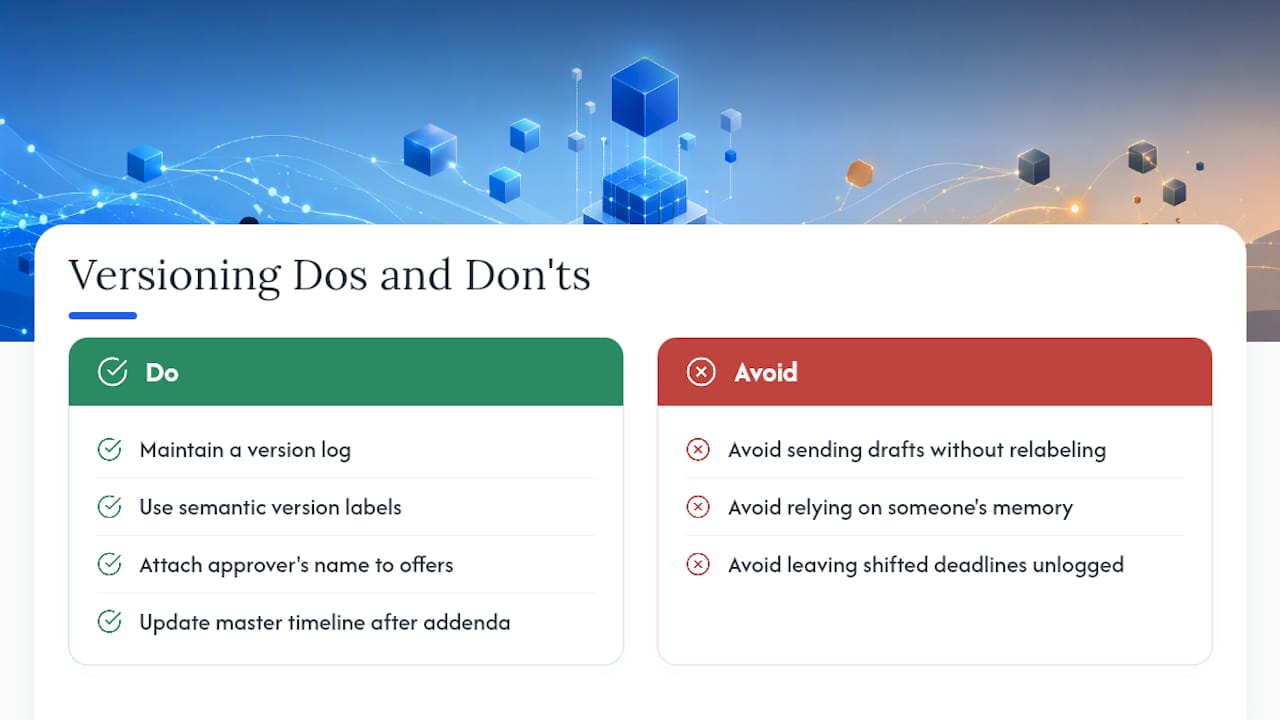
Two patterns come up constantly when wholesalers describe their worst deals. One sends a counter back with the original, pre-counter price still in the document, because the draft wasn’t relabeled after the agent’s changes came in. The other misses an inspection deadline entirely because an addendum shifted it and nobody updated the master timeline that lived in someone’s head instead of a log.
The ROI on fixing this isn’t dramatic, it’s compounding. A solo wholesaler running a version log and semantic labels typically cuts VA review time on each offer, and a small team sees fewer disputes with agents over “which version did you actually send us.”… None of this requires new software to start. It requires deciding, today, that no offer leaves your outbox without a version label and an approver’s name attached to it.
— Shane
Where SendMLS Fits Your Version Control Workflow
The checklist above works in a spreadsheet. It works faster when the tool sending your offers already speaks the same language: version labels, approval status, and confirmation that the right document landed in front of the right person.
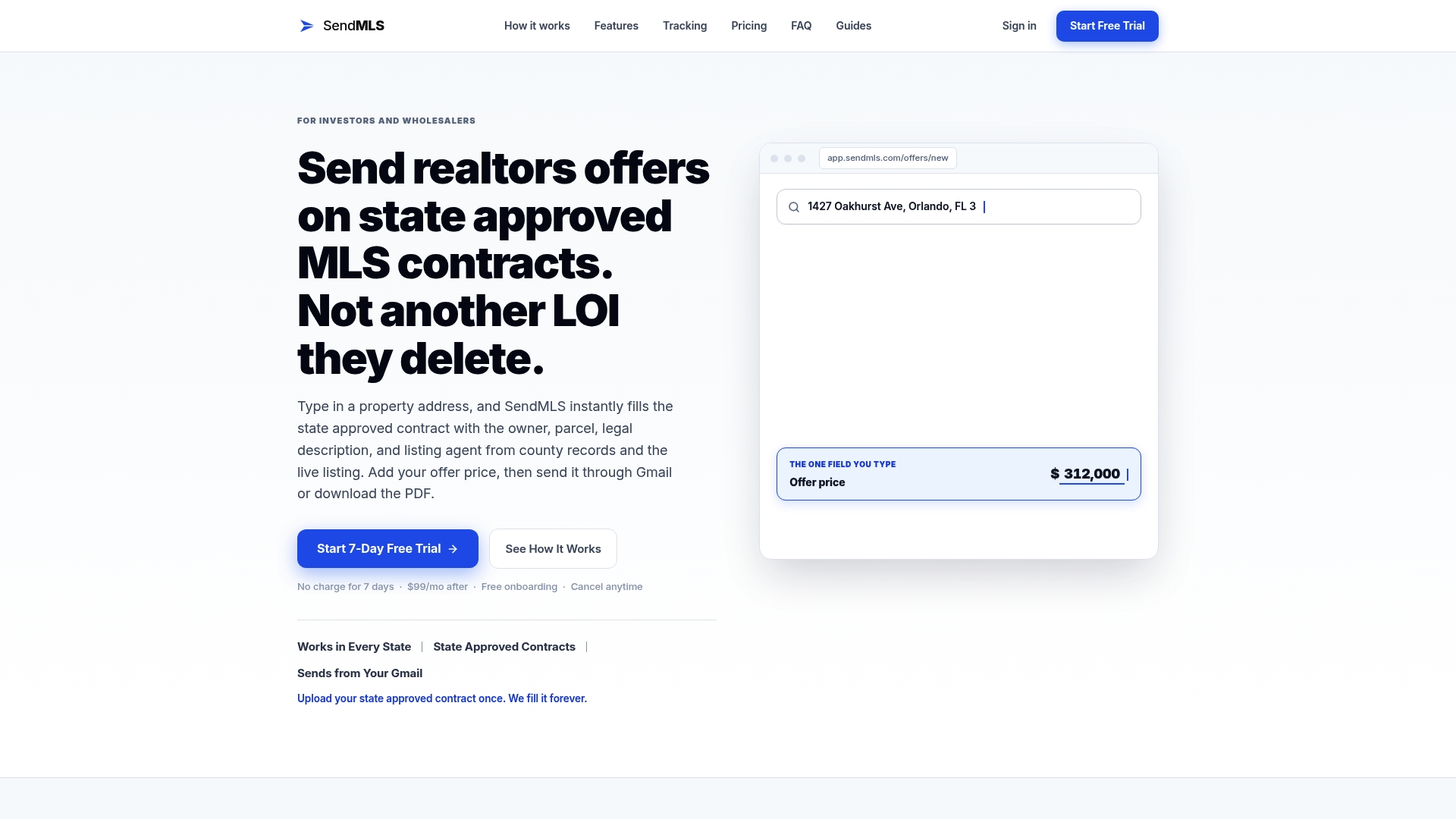
SendMLS autofills state-approved purchase contracts straight from county and MLS data, so the fields that cause most version errors, price, closing date, contingency terms, never get retyped by hand. Offers go out from your own Gmail address, arriving as real correspondence instead of a generic attachment agents skim past. Open tracking tells you the exact moment a listing agent views your offer, which turns your follow-up timing from a guess into a fact you can act on. Solo wholesalers replace hours of VA review with a few minutes of checking. Land investors blasting dozens of offers before lunch get the same version discipline at higher volume. Small acquisition teams get shared visibility into every rep’s sends without a group text.
Start the 7-day free trial and submit your next batch of offers with version control built into the send, not bolted on after the fact.
Sources
- What More Than 5,000 Real Estate Contracts Revealed About the Most Missed Deadlines (ListedKit)
- Build transaction version log before AI summarizes deals (Ben Laube)
- Paperwork bottleneck: multiple deals at once (Redelegate)
- Real estate contract management (ContractSafe blog)